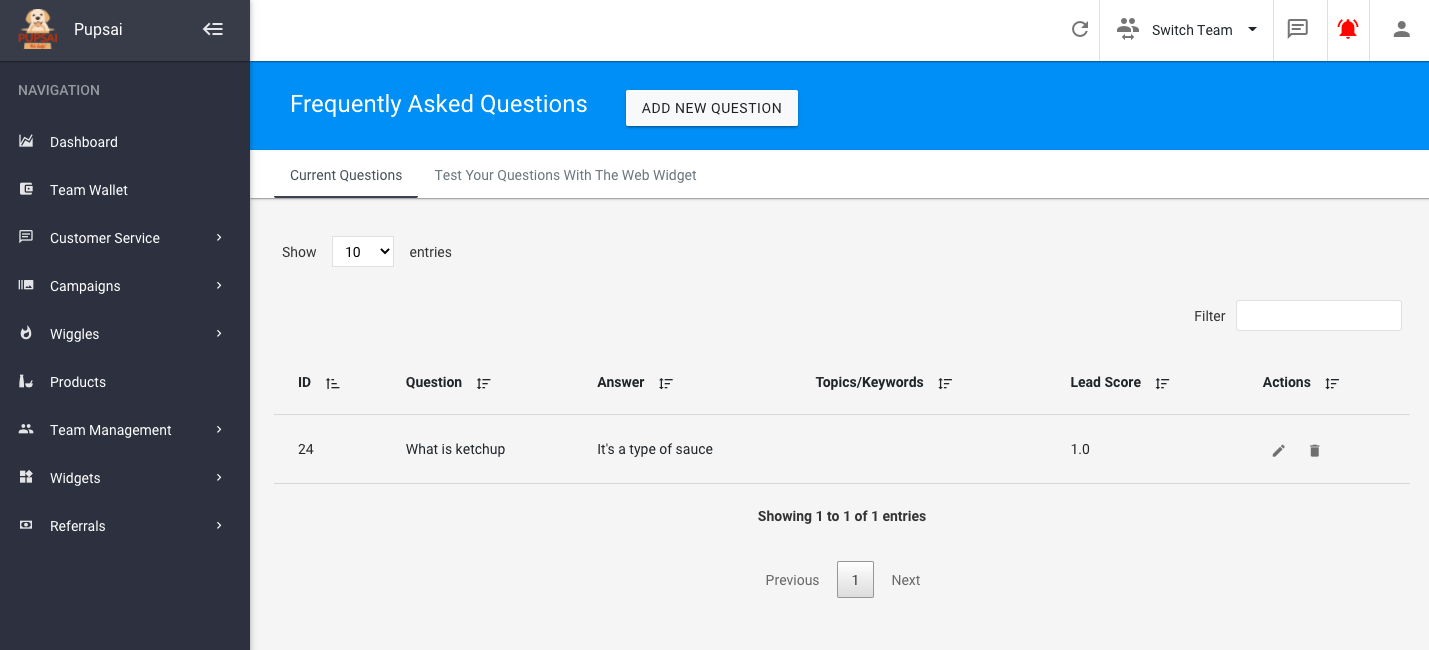
Managing Frequently Asked Questions
Let’s get you one step closer to getting MORE customers and MORE help, by adding your own Frequently Asked Questions (FAQs). Things that you think Pupsai should know or just a little humour to better train Pupsai for your team. Pupsai will use your responses when a customer asks similar questions. No Need to try and write every possible question or variation, Pupsai does a little reading and has some understanding.
To get started:
- Ensure you are logged in to your Pupsai account. For help logging in, refer to Login to Pupsai.
- Ensure you have subscribed to Pupsai. If you have not done so and need help subscribing, refer to Subscribing To Pupsai.
- Have your questions ready.
From your dashboard:
- In the navigation bar to the left of the page, select the “Customer Service” menu option
- From the drop down menu, select “FAQs”
- You’ll be redirected to the “Frequently Asked Questions” page
- Click the “Add New Question” button
- Enter your FAQ
- Enter an answer to the question
- Enter keywords that will help to find the question easily (optional)
- Enter a lead score value (optional). This number signifies how important a question is, the larger the value, the more important it is.
- Enter similar questions and alternative responses (optional)
- Click the “Add” button
- You’ll be redirected to the list of all the FAQs you currently have. From here you can edit or delete questions.