Viewing Click Through Rate Analytics
This is a type of campaign analytics that tells the average number of times the link within your campaigns have been clicked in the last 30 days. So Let’s get you one step closer to getting MORE customers and MORE help!
To get started:
- Ensure you are logged in to your Pupsai account. For help logging in, refer to Login to Pupsai.
- Ensure you have subscribed to Pupsai. If you have not done so and need help subscribing, refer to Subscribing To Pupsai.
From your dashboard:
- In the navigation bar to the left of the page, select the “Wiggles” menu option
- From the drop down menu, select “Campaigns Analytics”
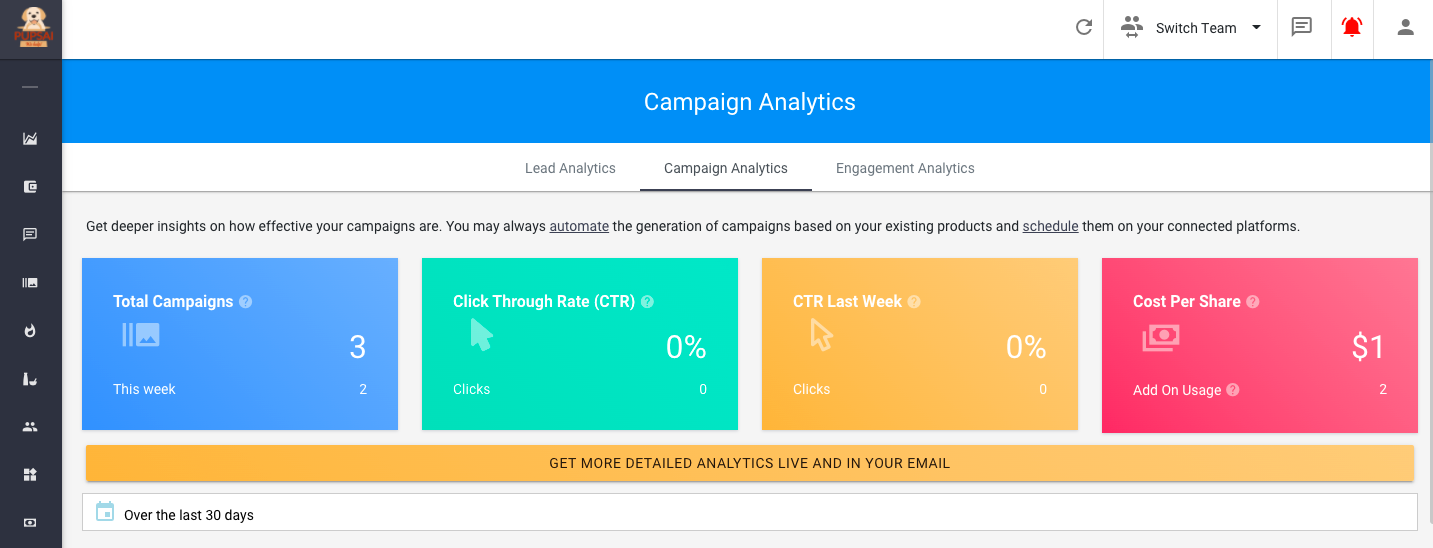
- You’ll be redirected to the “Campaigns Analytics” page shown below
- From here, the Click Through Rate analytics, can be seen in the second rectangle
To get more detailed analytics or analytics for a time period past the last 30 days:
- Click the “GET MORE DETAILED ANALYTICS LIVE AND IN YOUR EMAIL” button
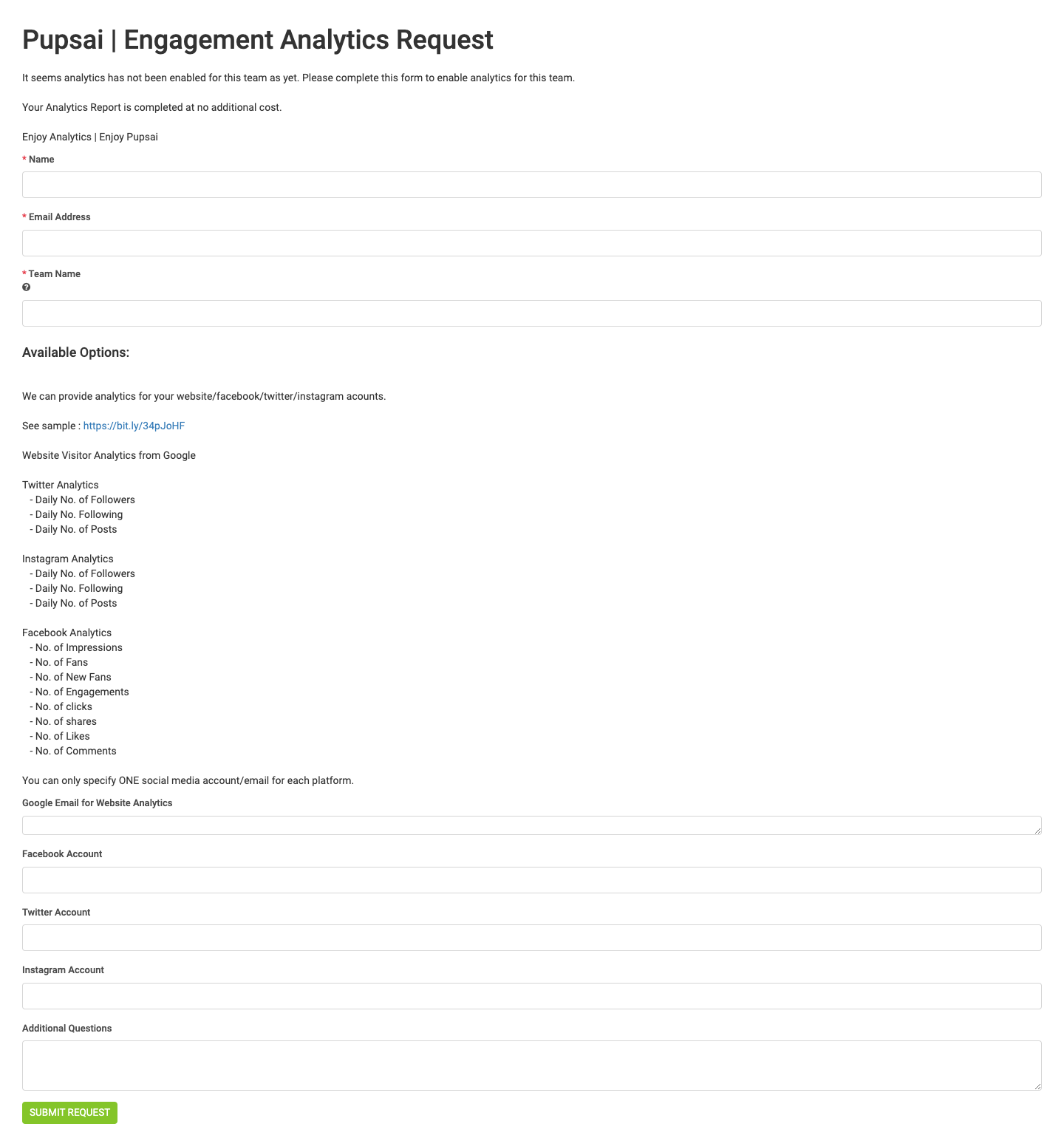
- You’ll be redirected to the “Engagement Analytics Request” Page seen below.
- Enter the required fields
- Click the “Submit Request” button
- Once your request is received by the Pupsai team, a representative will be in contact with you