
Creating Web Popups
What are Web Popups?
Web Popups help you to pro-actively engage your website visitors and capture their details for follow up sales conversations. Encourage them by prompting them to provide their email to subscribe to early discounts, offers and updates! These only appear on your verified web message channels. So Let’s get you one step closer to getting MORE customers and MORE help!
Creating a Web Popup
To get started:
- Ensure you are logged in to your Pupsai account. For help logging in, refer to Login to Pupsai.
- Ensure you have subscribed to Pupsai. If you have not done so and need help subscribing, refer to Subscribing To Pupsai.
From your dashboard:
- In the navigation bar to the left of the page, select the “Customer Service” menu option
- From the drop down menu, select “Web Popups”
- You’ll be redirected to the “Web Popups” page seen below
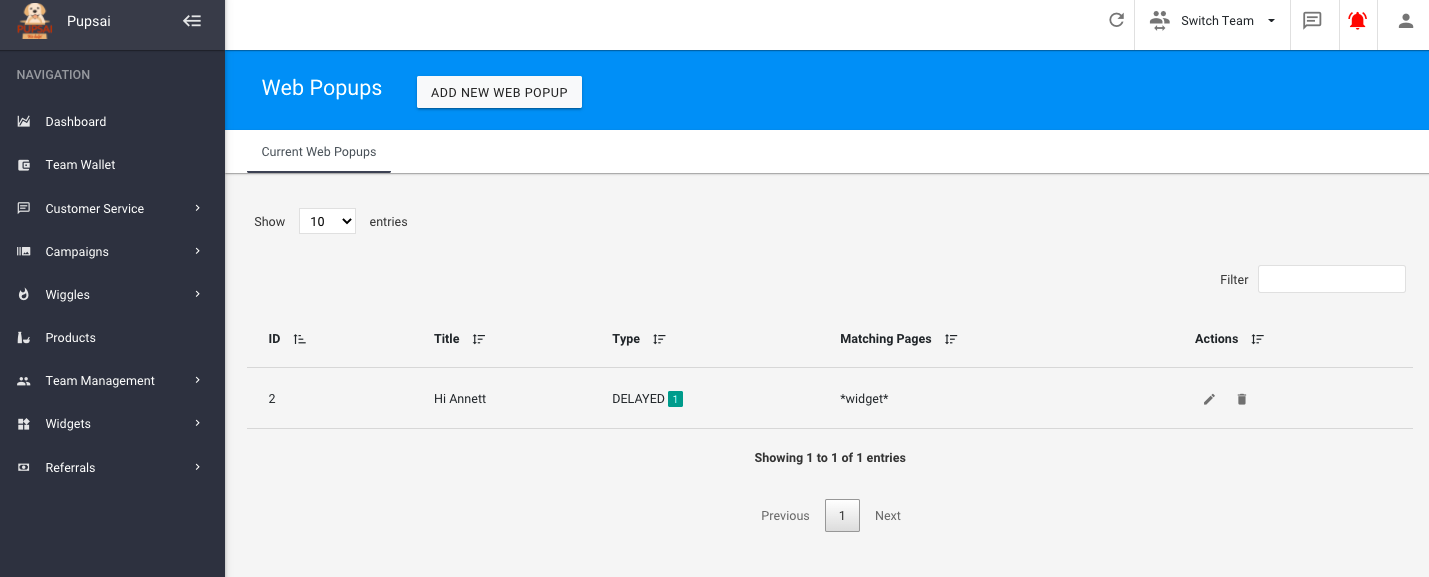
- Click the “ADD NEW WEB POPUP” button
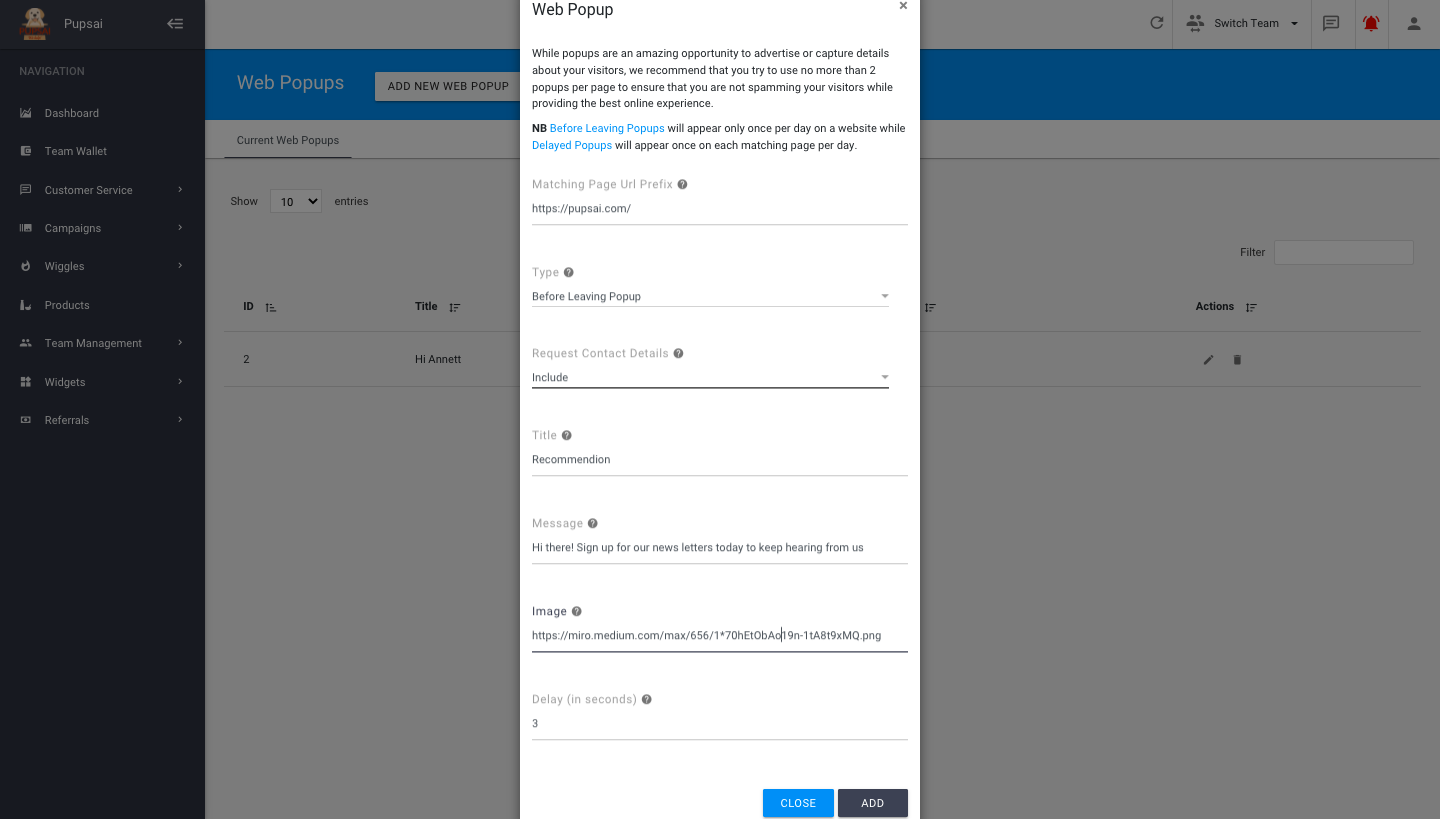
- A popup window to enter the details will appear
- Enter the website’s URL for which you want the popup to show
- Select your desired type of popup from the drop down list
- “Delayed Popup” – will appear on the webpage once per day after the specified delay time
- “Before leaving Popup” – will appear once per day when the user is attempting to leave your page or website
- Select whether you wish to include requesting customers’ contact details in your web popup
- Enter the title of your web popup
- Enter a message for your web popup (optional)
- Enter the URL of an image you wish to use for your web popup
- Enter the delay time in seconds for your popup
- Click the “ADD” button to save
- See image below for reference
Once the web popup is created, you’ll be redirected to the “Web Popups” page where you can
- Edit your existing web popups
- Delete your existing web popups