Viewing and Downloading Newly Collected Contact Details
This is a type of lead analytics that lists all customer contact details collected in the last 30 days. The information collected includes:
- Name
- Phone number
- Email address
- Comments
- Platform the information was retrieved from (e.g. Facebook, website, Instagram. etc.)
- Date and time of last activity
So Let’s get you one step closer to getting MORE customers and MORE help!
To get started:
- Ensure you are logged in to your Pupsai account. For help logging in, refer to Login to Pupsai.
- Ensure you have subscribed to Pupsai. If you have not done so and need help subscribing, refer to Subscribing To Pupsai.
From your dashboard:
- In the navigation bar to the left of the page, select the “Wiggles” menu option
- From the drop down menu, select “Lead Analytics”
- You’ll be redirected to the “Lead Analytics” page
- Scroll down to the “Newly Collected Contact Details” section, shown in the image below
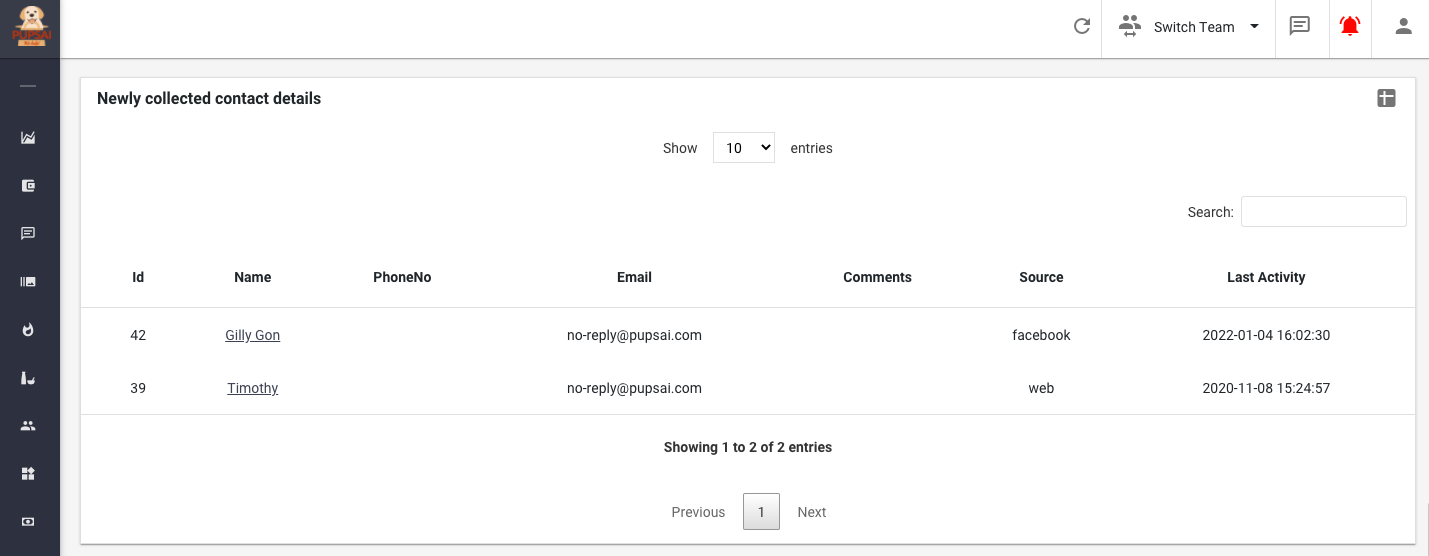
- To download the analytics data:
- Click the excel icon in the top right corner of the rectangle. An excel file with the data will be downloaded to your computer.
- N.B: If there is no data available for the metric, this emoji 😯 will be displayed and nothing will be downloaded.
To get more detailed analytics or analytics for a time period past the last 30 days:
- Scroll up and click the “GET MORE DETAILED ANALYTICS LIVE AND IN YOUR EMAIL” button
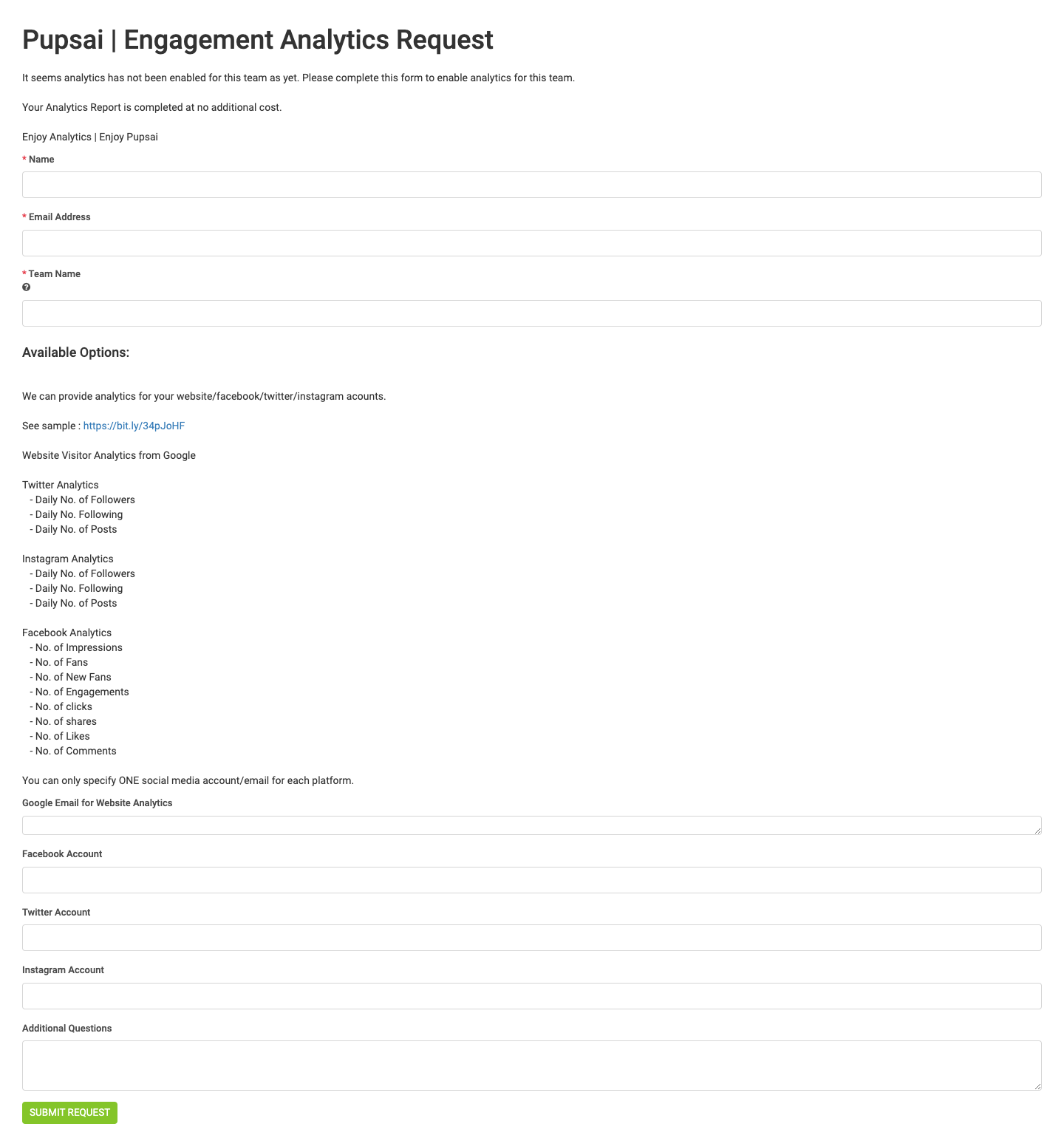
- You’ll be redirected to the “Engagement Analytics Request” Page seen below.
- Enter the required fields
- Click the “Submit Request” button
- Once your request is received by the Pupsai team, a representative will be in contact with you