Viewing Platform Engagement Analytics
This campaign analytics section allows you to view metrics generated by your various social media platforms (e.g. Facebook Insights). So Let’s get you one step closer to getting MORE customers and MORE help!
To get started:
- Ensure you are logged in to your Pupsai account. For help logging in, refer to Login to Pupsai.
- Ensure you have subscribed to Pupsai. If you have not done so and need help subscribing, refer to Subscribing To Pupsai.
From your dashboard:
- In the navigation bar to the left of the page, select the “Wiggles” menu option
- From the drop down menu, select “Campaigns Analytics”
- You’ll be redirected to the “Campaigns Analytics” page
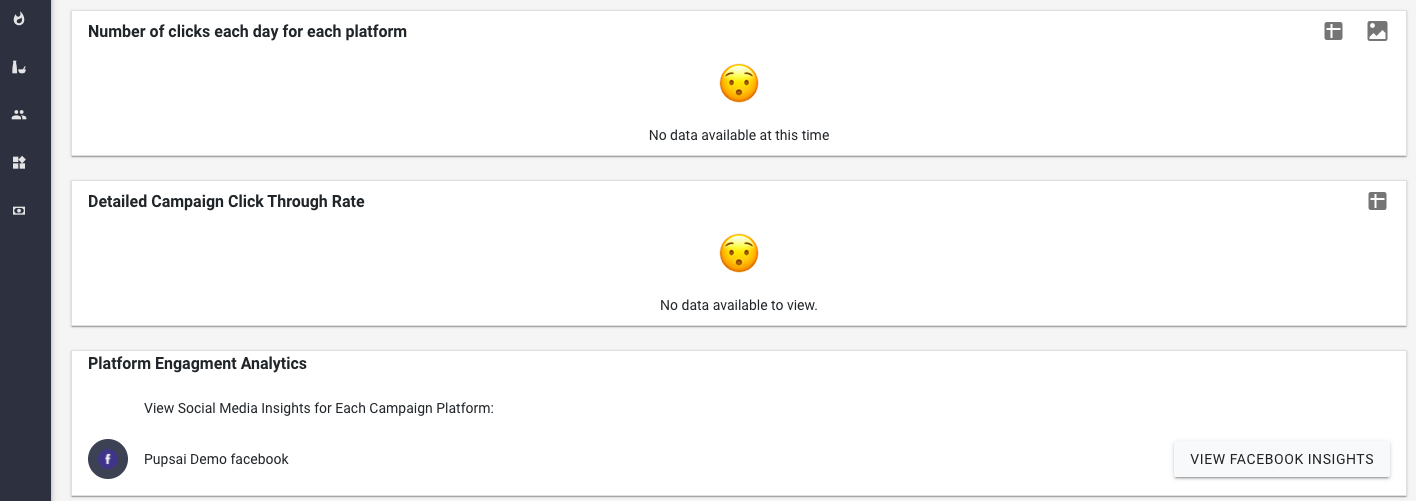
- Scroll down to the “Platform Engagement Analytics” section, shown in the image below (the third rectangle)
- Click on the “VIEW FACEBOOK INSIGHTS” button to right of the rectangle
- You’ll be redirected to Facebook account to view the analytics data
- N.B: If you are connected to multiple platforms (Instagram, Twitter, etc.) they will be listed in this section. Simply click the button that relates to your desired platform.